motion-graphic-skill
motion-graphic
Hand Codex or Claude a brief. Get a motion graphic in one HTML file.
A Codex and Claude Code skill that turns a brief and reference material — docs, PDFs, numbers, screenshots, URLs — into a beat-synced, 1920×1080 canvas motion graphic with synthesized music, a scrubbable player that works on phones, and automated visual checks.
English · 한국어




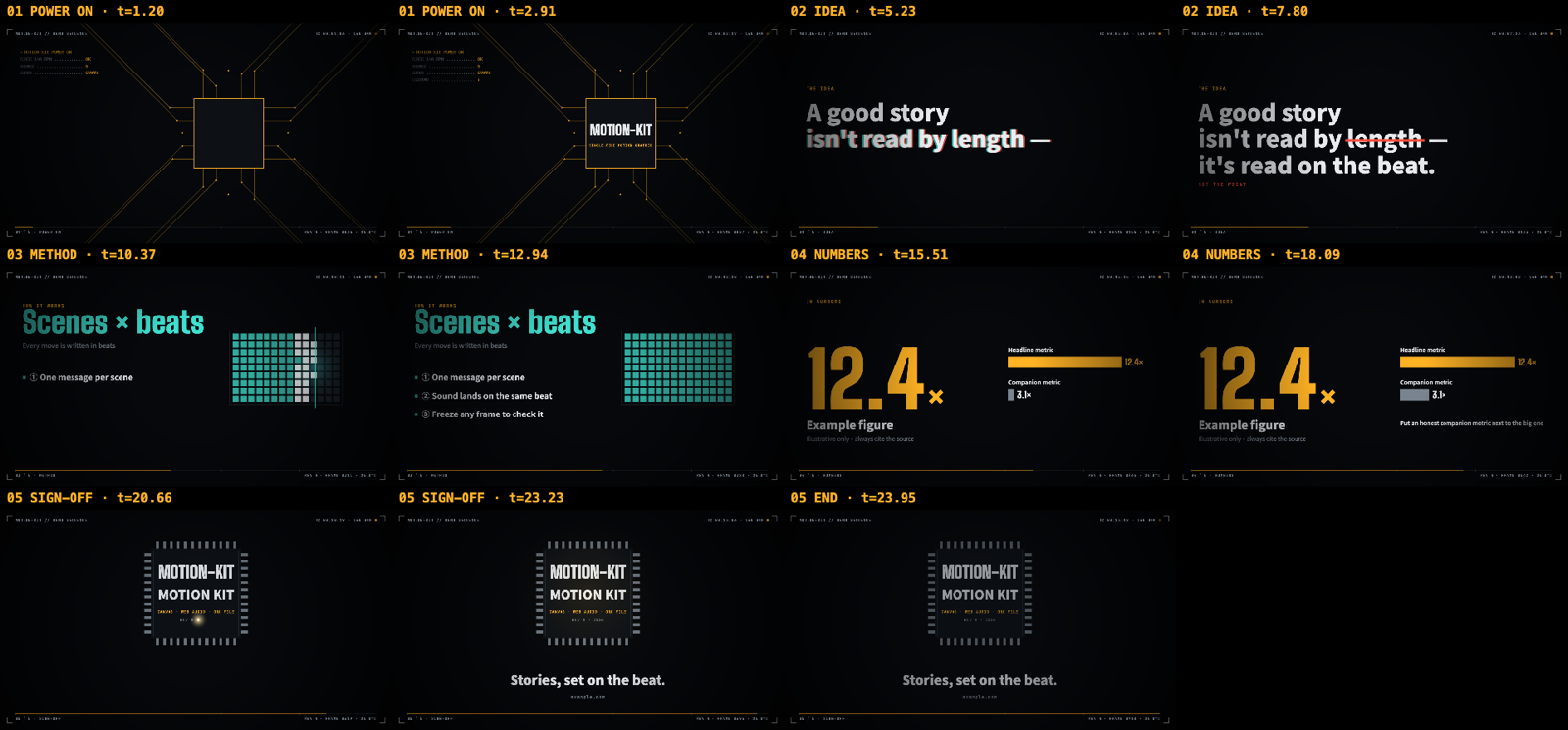
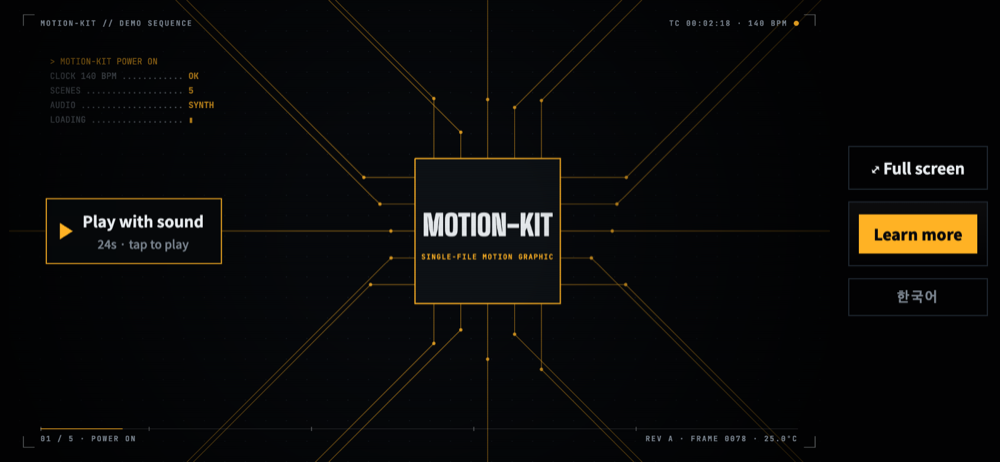
The bundled demo (24 s, 5 scenes), two stills per scene — generated by the skill’s own verification script.
Samples
The first three samples were made with v0.4.0: Claude Opus 5.5 and Claude Sonnet 5.5 each made one film from the same prompt, so you can compare them side by side. Codex Motion Studio was also remade with v0.4.0, retaining its original 30-second, seven-scene brief. The videos below are recorded from the HTML with record.js (sound on 🔊); the ▶ links open the interactive HTML itself. Each folder in samples/ also keeps the sourced facts.md, the storyboard.md the agent wrote and, for the v0.4.0 films, the review_log.md of the scored critique rounds. The Claude samples had one storyboard approval before building; the Codex remake retains the existing sample’s story under the remake request.
Skill intro — flat pop · 30 s
Opus 5.5 — a laptop lid collecting stickers
https://github.com/user-attachments/assets/cff67aee-17bd-4aff-a487-eba07781b96a
▶ Play live (한국어) · source · 7 scenes, electro groove at 128 BPM
Sonnet 5.5 — a capsule-toy machine
https://github.com/user-attachments/assets/bcf7a0ce-7537-4bf6-90e6-34d1f37131d9
▶ Play live (한국어) · source · 7 scenes, electro groove at 128 BPM
Cost and time with three critique rounds each: Opus 5.5 $17.06 in 52 min · Sonnet 5.5 $9.43 in 41 min.
Prompt
```text Make a 30-second motion graphic that introduces this repository's motion-graphic skill to developers browsing GitHub. Use the README, SKILL.md and CHANGELOG in this repo as the source material. Bold, playful flat-pop look — not the default dark console. English and Korean. End with a link to https://github.com/JakeB-5/motion-graphic-skill. ```James Webb Space Telescope — deep space and gold mirrors · 45 s
Opus 5.5 — a golden time machine
https://github.com/user-attachments/assets/0ccf1637-1888-45f5-b94c-a544b3f66c2b
▶ Play live (한국어) · source · 9 scenes, soft groove at 120 BPM, every number sourced to NASA
Sonnet 5.5 — the observatory unfolding, step by step
https://github.com/user-attachments/assets/8c317f24-4814-454c-8190-1673ae609434
▶ Play live (한국어) · source · 9 scenes, soft groove at 96 BPM, every number sourced to NASA
Cost and time with three critique rounds each: Opus 5.5 $19.24 in 58 min · Sonnet 5.5 $9.57 in 44 min.
Prompt
```text Make a 45-second explainer motion graphic about the James Webb Space Telescope for a general audience — it will loop on a science-museum lobby screen. Take every number from NASA's public Webb pages (https://science.nasa.gov/mission/webb/). English and Korean. End with a link to https://science.nasa.gov/mission/webb/. ```V60 pour-over guide — warm café illustration · 30 s
Opus 5.5 — one brew bar, read off the scale
https://github.com/user-attachments/assets/14931d4c-3f9e-4431-8ff3-78e5b3bbf71d
▶ Play live (한국어) · source · 7 scenes, soft groove at 104 BPM, recipe from the SCA, technique from Hario
Sonnet 5.5 — the cup fills as you learn
https://github.com/user-attachments/assets/b40f14da-2def-4fda-ba0b-bcc3791f79fe
▶ Play live (한국어) · source · 7 scenes, soft groove at 100 BPM, recipe from the SCA, technique from Hario
Cost and time with three critique rounds each: Opus 5.5 $18.79 in 57 min · Sonnet 5.5 $9.96 in 50 min.
Prompt
```text Make a 30-second motion graphic that teaches a complete beginner how to brew pour-over coffee with a V60 dripper — friendly and warm, for a small café's in-store screen. Base the recipe numbers on the Specialty Coffee Association's brewing guidance and Hario's V60 instructions. English and Korean. No call-to-action link. ```Codex Motion Studio — paper cards · 30 s
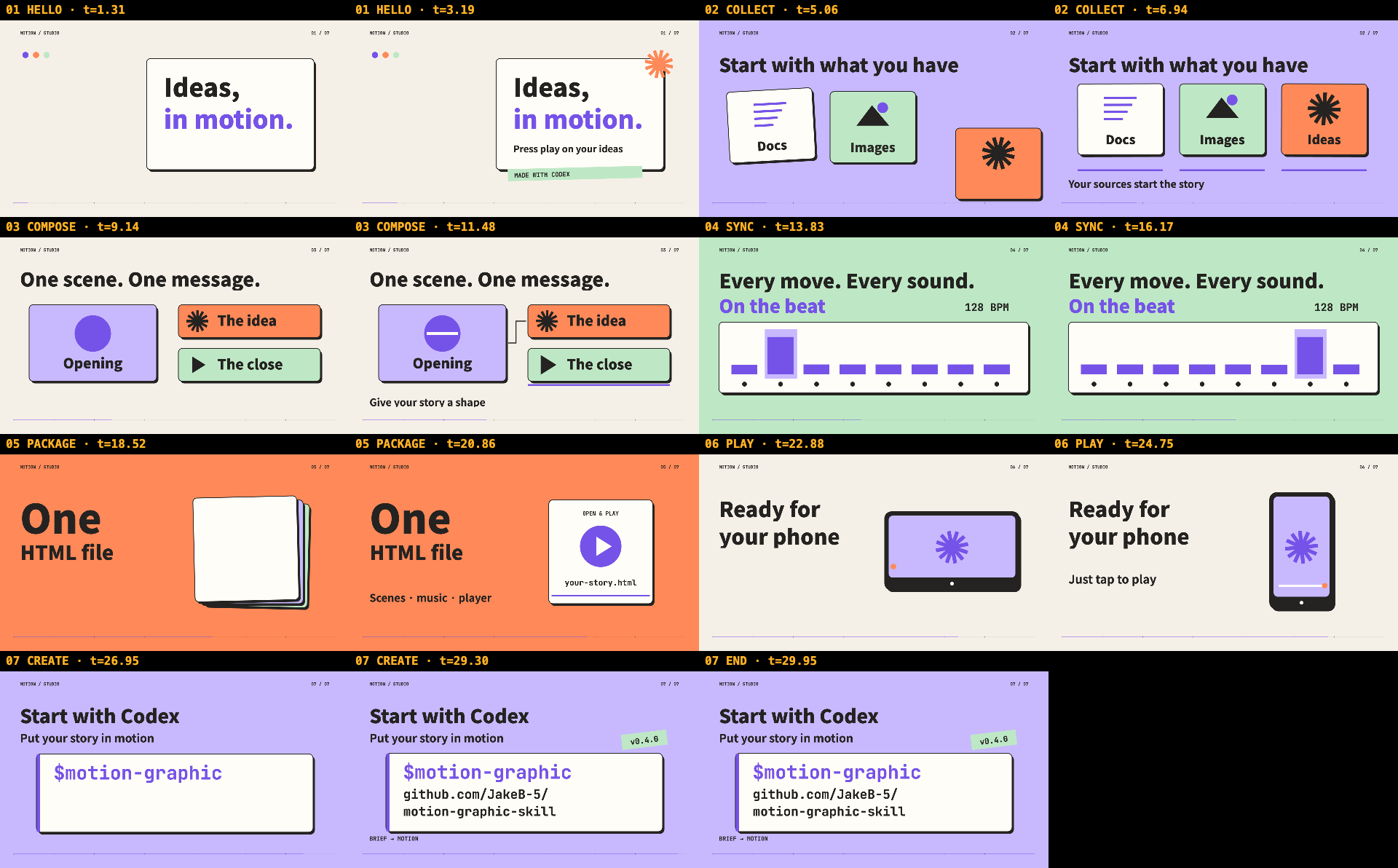
Download MP4 · English · 한국어 · Critique log
▶ Play live (한국어) · source · 7 scenes, electro groove at 128 BPM, remade with Codex using v0.4.0
Prompt
```text Make a 30-second motion graphic introducing this repository's motion-graphic skill to developers who use Codex. Use README.md, skills/motion-graphic/SKILL.md and CHANGELOG.md as the source material. Make it feel like a playful graphic-design studio: cream paper, bold typography, and violet, orange and mint cards that become a storyboard, a beat sequencer, an HTML file and a phone. Show how a brief and reference material turn into a motion graphic with synchronized music and a mobile-ready player. Seven scenes, electro groove at 128 BPM. English and Korean, with a language switch in the same HTML. End with Codex support and a link to https://github.com/JakeB-5/motion-graphic-skill. ```The videos show the English version; the ▶ links have a Korean one too.
What you get
- One self-contained HTML file. No build step, no video, no audio assets. Open it in a browser, drop it on any static host, or attach it.
- Scenes on the beat. Every motion is timed in beats at a chosen tempo, and each sound effect lands on the same beat as the motion it belongs to.
- Music and effects synthesized live with Web Audio: four grooves (
electro,soft,pulse,none) plus a palette of effects (slam, scan, riser, stamp, laser, error → correct…). - A style that fits the topic. The agent picks brightness, texture, frame, type, easing, transitions and music from the subject and audience — a dark technical console for a chip maker, clean and light for investor relations, cream paper and serif for a brand story, flat pop for a teaser.
- A real player. Click or tap to play, drag the progress bar to scrub, keyboard shortcuts, full screen, a call-to-action button, and an end-frame link that unlocks after one full viewing.
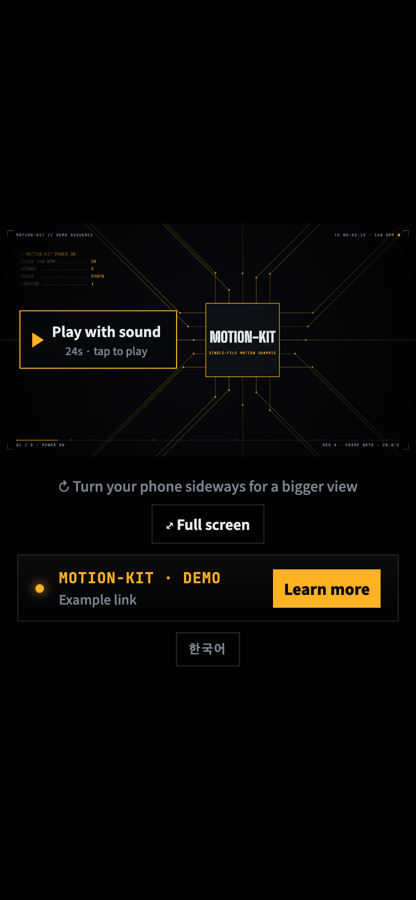
- Phone-ready. Portrait stacks the controls under the film; landscape gives the film the full height with a side dock.
- Honest numbers. Every on-screen figure is traced to a source in
facts.md, big metrics get a same-scale companion metric, and rounding stays consistent. - Motion that settles. Closed-form springs and multi-target tracks give moves overshoot and follow-through, while every frame stays a pure function of time.
- Verified before you see it. A contact sheet of stills, a phone-size sheet, 12-frame strips around every cut, a determinism check, text clipped at the edges, audio levels per scene, 7 device layouts, touch playback, truncated labels.
- Reviewed like a director would. A separate reviewer scores the film on seven axes (hook in the first 2 s, readability at phone size, motion, variety, composition, brand accuracy, sound sync) after a defect check, and the agent fixes the worst problems for up to three rounds.
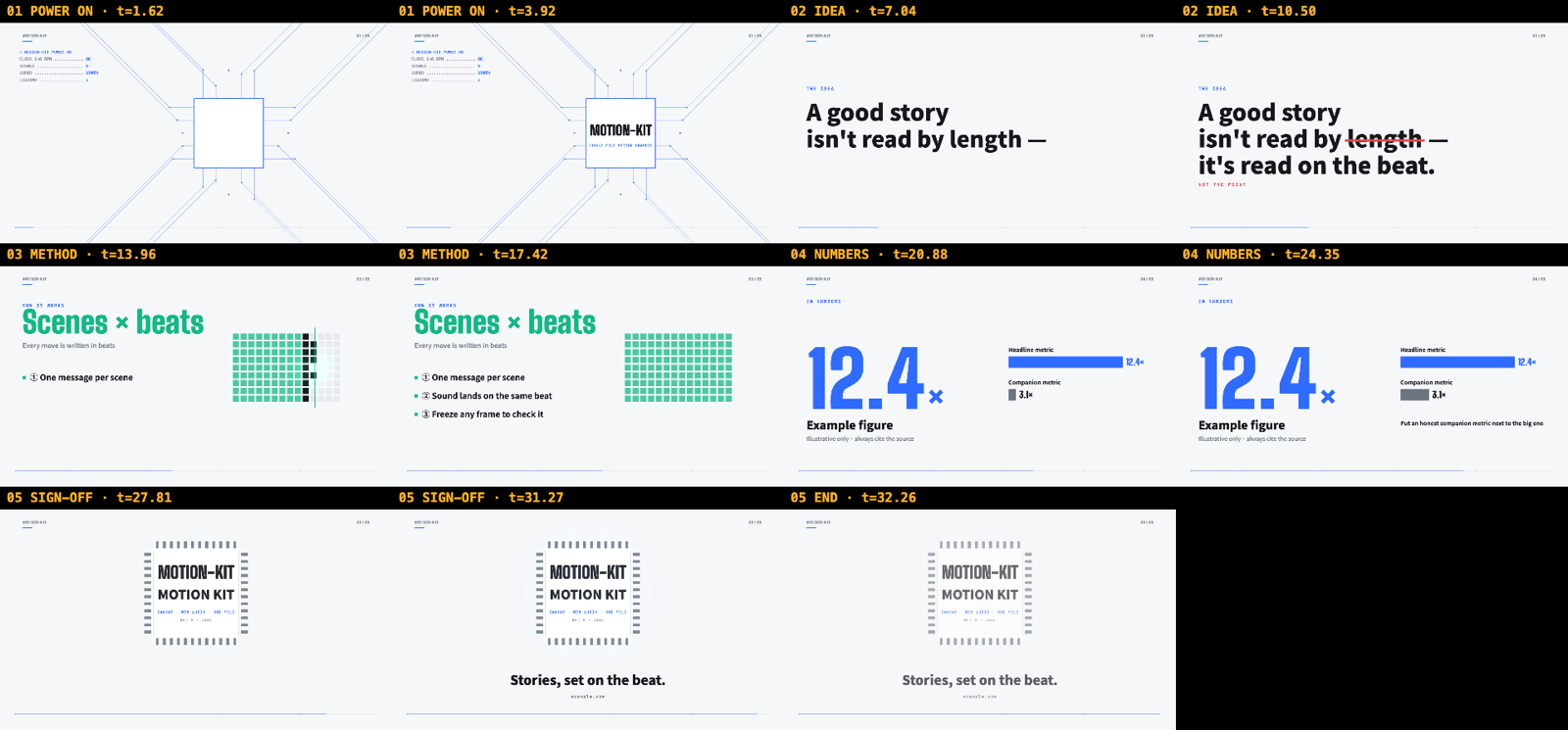
| Clean style (same scenes, restyled) | Phone portrait | Phone landscape |
|---|---|---|
 |
 |
 |
Install
The same skills/motion-graphic folder supports both agents, including the engine, references and scripts.
Quick install (any agent)
With the skills CLI, one command installs the skill for Claude Code, Codex and other supported agents:
npx skills add JakeB-5/motion-graphic-skill --skill motion-graphic
It installs into the current project by default; add -g to install for your user instead. The sections below cover the agent-specific alternatives.
Codex
When you open this repository in Codex, .agents/skills/motion-graphic links to the shared skill so it can be discovered locally. To use it in other projects, copy it to your personal skills directory (macOS/Linux/WSL):
git clone https://github.com/JakeB-5/motion-graphic-skill.git
mkdir -p ~/.agents/skills
cp -R motion-graphic-skill/skills/motion-graphic ~/.agents/skills/
If you already cloned the repository, skip git clone. For installation in just one other project, use that project’s .agents/skills/ instead of ~/.agents/skills/. Copy the entire skill folder, including assets, references, scripts and agents. Choose one installation scope to avoid duplicate entries. If the skill does not appear, restart Codex. See the official skill discovery documentation.
Claude Code
As a plugin:
/plugin marketplace add JakeB-5/motion-graphic-skill
/plugin install motion-graphic@motion-graphic-skill
Or manually — copy (or symlink) the skill into your skills folder:
git clone https://github.com/JakeB-5/motion-graphic-skill.git
mkdir -p ~/.claude/skills
cp -R motion-graphic-skill/skills/motion-graphic ~/.claude/skills/
Verification dependencies
Dependencies (recommended — the skill uses them to check its own work):
- Python 3 (for
assemble.py) - Node.js 18+ and Chrome or Chromium
puppeteer-core, installed once next to the script:
# Codex personal installation
npm i --prefix ~/.agents/skills/motion-graphic/scripts puppeteer-core@23
# Claude Code manual installation
npm i --prefix ~/.claude/skills/motion-graphic/scripts puppeteer-core@23
Run only the command for your installation. For a repository-local skill, use skills/motion-graphic/scripts as the prefix from this repository root; for a plugin installation, use the installed skill’s scripts directory.
Chrome is found automatically on macOS, Linux and Windows; otherwise set CHROME=/path/to/chrome.
Use
In Codex, invoke the skill explicitly with $motion-graphic:
$motion-graphic Make a 30-second product intro from README.md, in English and Korean.
Both agents can also select the skill automatically for requests like:
Make a 30-second motion graphic introducing our product from README.md and docs/metrics.csv — it opens my lightning talk.
여기 포트폴리오 PDF랑 지원 공고 있어. 지원서에 넣을 1분짜리 모션그래픽 만들어줘. 끝에는 PDF 링크.
Turn these three case studies into a 15-second intro for our investor update. Keep it calm and corporate.
Codex or Claude will ask once for anything essential that’s missing (audience, length, link), show a storyboard for approval, build, verify, and hand you the file.
How it works
- Intake — reads every reference and writes
facts.md: each fact and number that will appear, with its source. - Concept — one metaphor from the audience’s world (a wafer-probe sequence, a railway dispatch board, a container terminal…) and a style derived from topic, audience and brand.
- Storyboard — a scene table (beats, message, visual, motion, sound) for you to approve. The cheapest place to change the story.
- Build —
assemble.pysplits the engine into small parts (config,style,copy,geometry,scenes,plan…); the agent fills them and reassembles with a syntax check. The player, audio and mobile layout come from the engine untouched. - Verify —
check.jsrenders contact sheets (full and phone size), cut strips and a determinism check, and the agent fixes failures until there are none. Then a scored critique: a reviewer with a fresh context — or the agent itself when the host can’t start one — fills a defect table with file-and-time evidence, scores seven axes, and the agent fixes the three worst problems. It ships when no defect fails, every axis reaches 8 and at least two rounds have run — or after three reviewed rounds, with the open issues listed inreview_log.mdand the delivery report. - Deliver — the HTML path, duration, scene count, check results and critique scores. An MP4 from
record.jsis checked with ffprobe before it is reported.
Every frame is a pure function of time (render(t)), so scrubbing, freezing a frame and verification stills all show exactly what playback shows.
In the output file
?t=12.5 |
freeze on a frame (also #t12.5) |
?lang=en |
switch language when the piece has several |
?audiotest |
render the audio offline and report peak and per-scene levels |
| Space · ← → · M · F | play/pause · seek 2 s · mute · full screen |
Try the demo
Play them live (GitHub Pages), or open the files in a browser:
- ▶ Console style ·
skills/motion-graphic/assets/engine.html— the engine with its five example scenes, console style - ▶ Clean style ·
examples/clean-style.html— the same scenes with a clean, light style and a soft groove
Repository layout
.agents/skills/          Codex discovery link to the shared skill
.claude-plugin/          Claude Code plugin + marketplace manifests
skills/motion-graphic/
  SKILL.md               shared workflow for Codex and Claude Code
  agents/openai.yaml    Codex display metadata and default prompt
  assets/engine.html     the engine (player, audio, helpers, example scenes)
  references/            story.md · styles.md · scene-patterns.md · critique.md
  scripts/assemble.py    split the engine into parts / assemble them back
  scripts/check.js       verification: stills, phone sheet, cut strips, determinism, clipping, audio, layouts, touch
  scripts/record.js      HTML → mp4 (frame-exact render + the engine's own audio, verified with ffprobe)
samples/                 pieces made from one prompt each (HTML, mp4, prompt, facts, storyboard; opus/ and sonnet/ versions)
examples/                prebuilt style examples
docs/images/             README images
Limitations
- 16:9 only (1920×1080 canvas, letterboxed or stacked on other screens).
- Web fonts load from Google Fonts, so the first play needs a network connection; everything else is inline.
- Output is an interactive HTML page, not a video file. For an mp4, run
node scripts/record.js <file.html> --out film.mp4(needs ffmpeg; the progress bar is part of the picture). - iPhone Safari has no element full screen; the full-screen button hides itself there and a “turn sideways” hint is shown instead.
- Verification needs Chrome/Chromium and Node; without them the skill still builds, but can’t check its work.
- The scored critique makes a piece slower and costlier: in our benchmark a 30–45 s film took 30–55 minutes with three reviewed rounds, about three times longer than 0.3.
Contributing
Issues and pull requests are welcome — see CONTRIBUTING.md.